

IdP Configuration
Okta Configuration
- Go to Applications
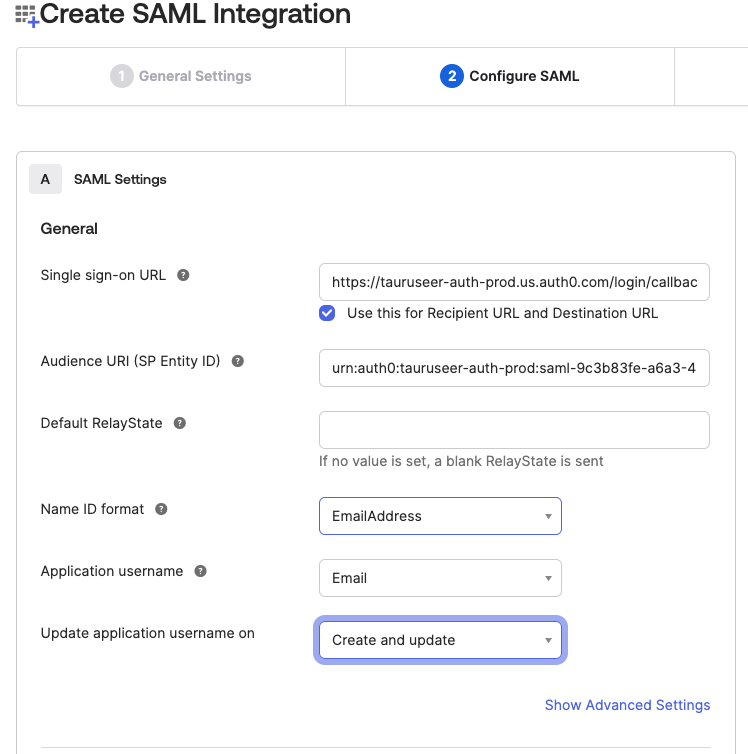
- Create a new app integration and select SAML 2.0. Click Next.
- Enter a recognizable App Name such as “StartLeft Platform”. Click Next.
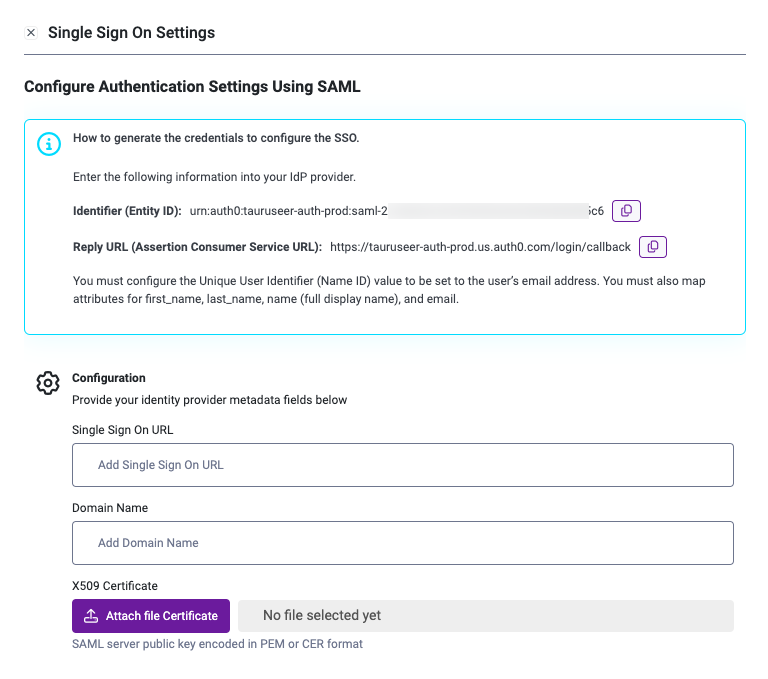
- Fill in the Single sign-on URL (“Assertion Consumer Service URL”) and “Entity ID” fields with the information from the StartLeft Single Sign On Settings.
Configure Attributes & Claims
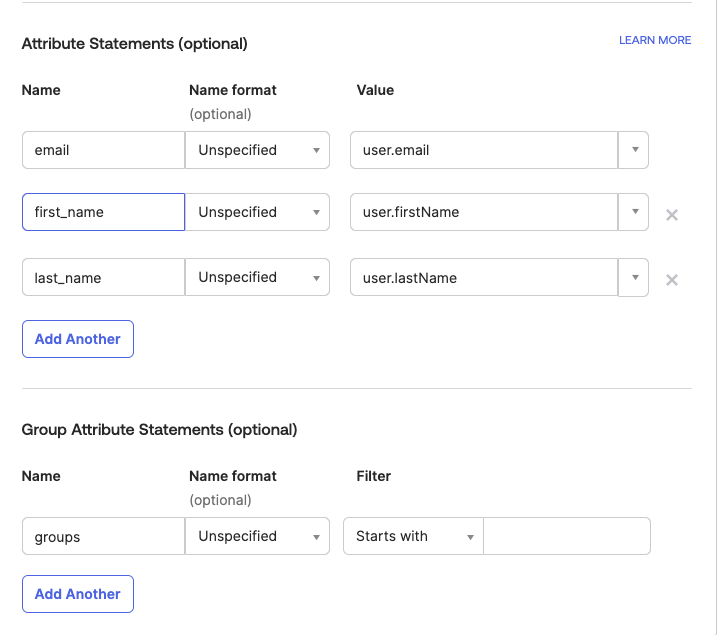
In Entra ID, you must configure the Unique User Identifier (Name ID) value to be set to the user’s email address, in Azure AD this value must be set to user.mail- email - set to user.email
- first_name - set to user.firstName
- last_name - set to user.lastName
- Set the Single Sign On URL from Okta
- Set the Domain name to your company’s domain.
- Upload to the X590 Certificate.
- Click Save SSO Settings.